Offline and Online together
Play from your device folders or stream online from YouTube or YouTube Music. Smart queues handle and mix audio and video items from any source in one playlist, without rebuilding it when you switch songs.

A powerful open-source music player for Android and Desktop.
Stream online, listen offline, and customize every detail with a clean, modern app built for true music lovers.
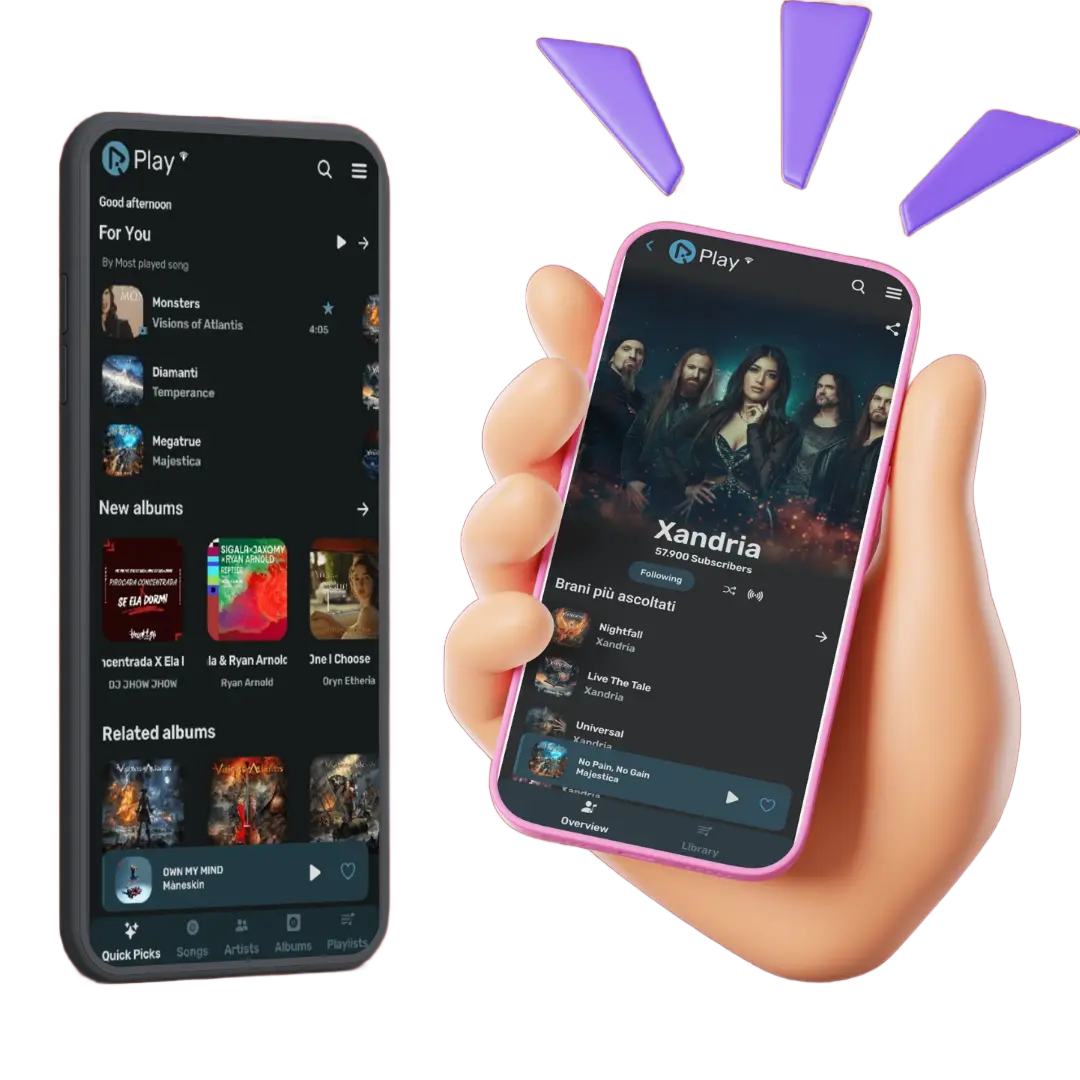
RiPlay skips the bloatware and focuses entirely on delivering a high-quality audio experience directly on your device.
Play from your device folders or stream online from YouTube or YouTube Music. Smart queues handle and mix audio and video items from any source in one playlist, without rebuilding it when you switch songs.
RiPlay pulls synced lyrics automatically from several sources and shows them as a song plays. Useful when learning new songs with no manual searching required. You can edit, change and translate if the timing or wording of a source is wrong in real time.
Adjust volume, speed, pitch, bass boost, skip-silence and turn on volume normalization per track. Fine-tune audio output to match your headphones or speaker setup for music, podcasts, or any content you play.
There are no ads on RiPlay. Play your music for free continuously without frustrating breaks or pop-up advertisements cluttering your screen.
Listening statistics and Rewind help you look back at what you have played over time. The app tracks what you play and turns it into monthly and annual summaries, badges and rankings. See what you actually listened to and when without needing a separate tracking app.
RiPlay does not collect personal data nor does it need any account. Your history, playlists, listening stats and settings stay entirely on your phone and online playback runs through the YouTube IFrame Player API in a WebView. So it's completely safe to use.
The app UI supports both Dark and Light modes and it adapts to your system theme automatically. You can even switch themes manually to change how the interface looks, and use the app in more than 50 community-maintained languages.
Enjoy a seamless music experience in RiPlay with smart features like Android Auto support, Android TV and Widget Support (Experimental), sleep timer, Visualizer, Music recognition, self-closing app scheduling and Fast share.
RiPlay is free and 100% open source under the GPL-3.0 license. Built with your privacy as the top priority, We believe that your music and your listening habits belong to you, which is why the app operates with zero hidden trackers. The complete codebase is public on GitHub, so you can see how the app stores data. Everything we do is completely transparent so anyone can look through the code to understand how RiPlay works.
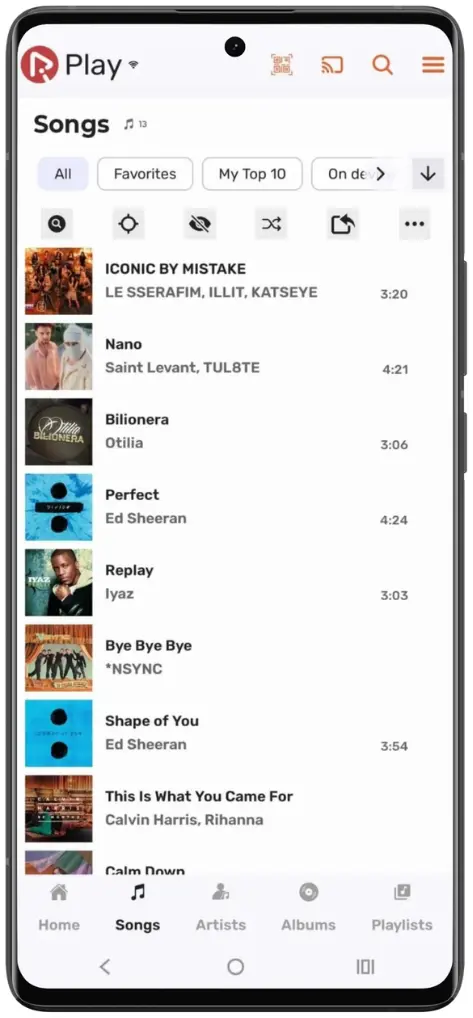
A quick look at the Music player, library, and lyrics view.
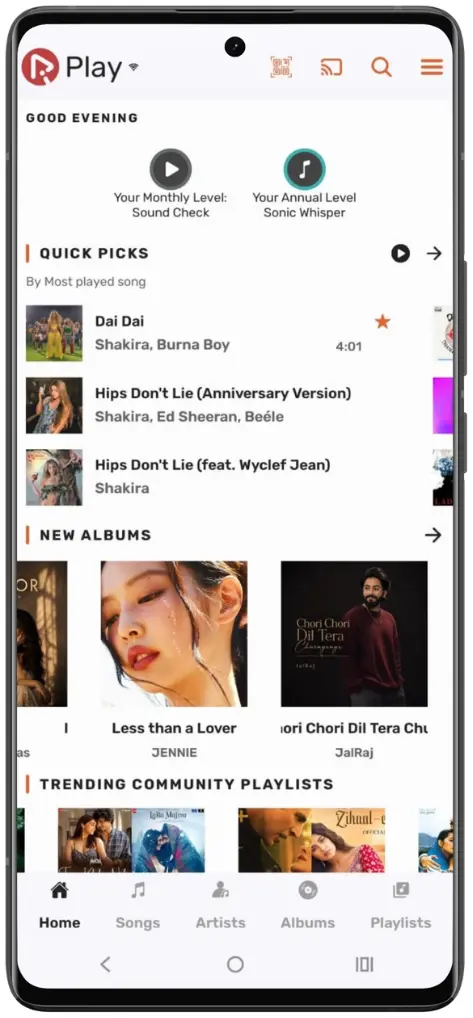
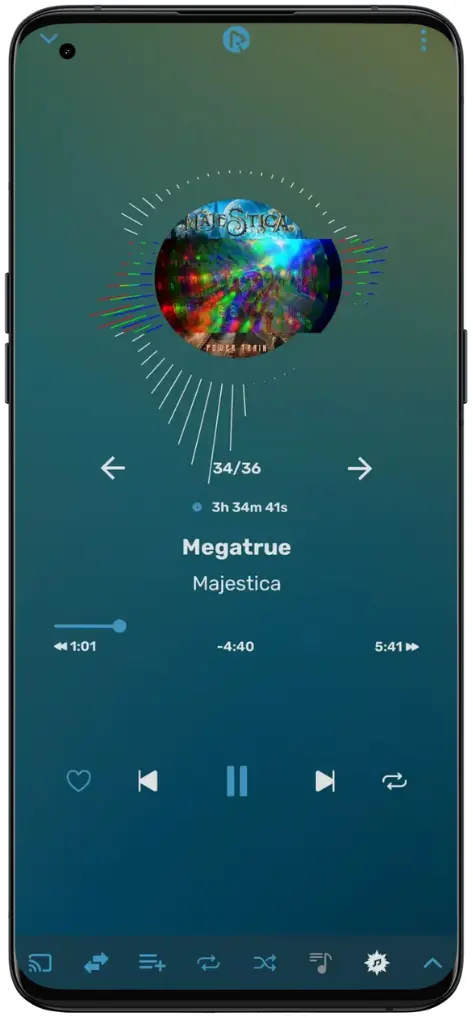
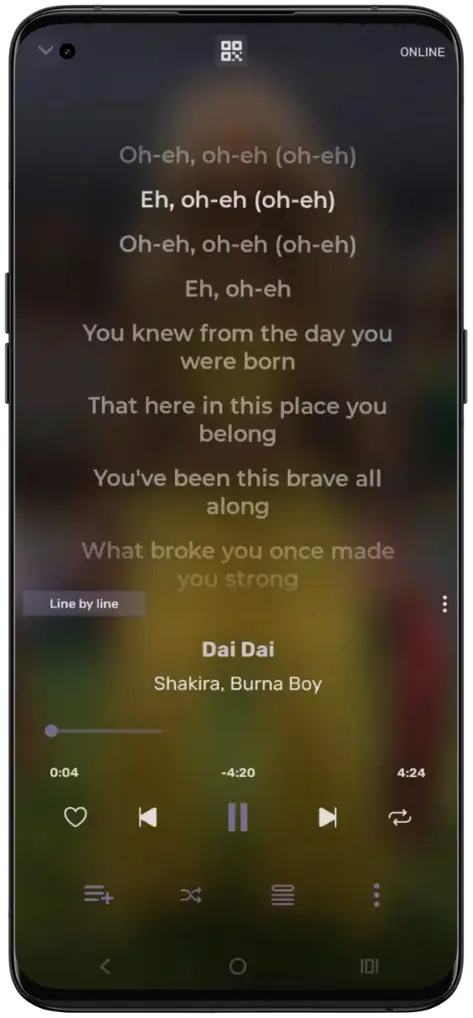
Supported architectures: arm64-v8a, armeabi-v7a, x86, and x86_64.
Two builds are available for Android:
FOSS build: Without Chromecast, MusicVault, and auto-update.
Full APK: Includes all features and built-in updates.
Tap the download link below to download the latest version of RiPlay app or APK file.
Tap the downloaded APK file then Android will ask you to allow installation from unknown sources. Enable it once for your browser or file manager in your settings, then click on RiPlay APK again to begin installation.
Open RiPlay, grant the storage permission (optional), and your local songs appear in library straight away. Browse by artist, album or add online tracks, fetch lyrics, and your stats build automatically.
Choose the version that works best for you:
Yes. RiPlay is completely safe and free open-source multiplatform music player by fast4x, under the GPL-3.0 license, It has no subscriptions, in-app purchases, or ads.
Restart the app, Update RiPlay, if you use YouTube account check login settings and try logging in again. Older builds and logins may cause issues, so always use the latest version.
Backup your RiMusic data in Settings → Data → Save to backup, then restore that backup in RiPlay. You can also use export and import feature of Riplay to import playlists from CSV files.
Media permission is used to play audio tracks stored on your device locally. Microphone access is tied to the visualizer feature and is not needed for normal playback.
You can always download the latest version anytime from this official website or through GitHub releases. To stay safe, always download RiPlay from this site and avoid copies hosted elsewhere.
Bring your offline library and online tracks in one clean, beautiful music player. Enjoy songs without ads, enhanced audio controls with lyrics, themes, and privacy that keeps your data on your device.
Download the RiPlay APK, import your library, and start listening your way. Available on Android 6.0+ and through supported Android environments on Windows and Linux
RiPlay grows with its community. Report a reproducible bug, request a feature, help translate the app, share an idea, or contribute code through the project on GitHub, every contribution helps move the project forward.
If you found RiPlay useful, support the project by sharing it with others and sending your feedback.